Energi May Newsletter 2026
Welcome to the latest Energi Newsletter, where we unveil the latest strides in security, community engagement, and future endeavors.

Looking for a way to easily store and manage your Energi on a mobile device? MetaMask Mobile offers a secure, user-friendly mobile wallet option for coins on the Energi and Ethereum networks, among others.
MetaMask is a browser extension and app that is trusted by millions of users worldwide for storing, sending, and swapping their cryptocurrencies. It functions as a multi-chain wallet that also provides a seamless method for connecting your tokens to decentralized apps or exchanges like Energiswap.
MetaMask Mobile is the mobile version of the popular web browser extension. It’s a secure, mobile-friendly wallet option that makes using NRG easy on a mobile device. Just like any other wallet, you can receive and send Energi directly from the app.
You can also connect to Energiswap to make low-fee trades right on your mobile device. Keep in mind that you have to use the in-app MetaMask browser to use Energiswap on mobile.
The MetaMask Mobile app
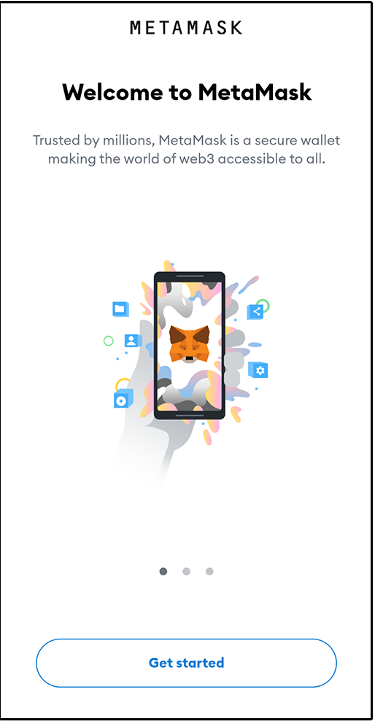
If you’re already using MetaMask on your web browser, the easiest way to set up the mobile app is by syncing it to your wallet on the browser extension. That way, you will already have the Energi Network added and your existing accounts imported.
If you’ve never used MetaMask before, simply click to create a new wallet and enter your desired password. Be sure to copy down the seed phrase the app provides to you. It is the only way to recover your wallet, so keep it somewhere secure, preferably with a backup.
Click here for a step-by-step guide that explains how to set up MetaMask Mobile for use with Energi.
If you created a new wallet on MetaMask Mobile, it’s time to connect MetaMask Mobile to the Energi mainnet.
Start by going to the hamburger menu in the top left of the app and selecting Settings > Networks.
How to add the Energi network to MetaMask Mobile
On the next screen, you will see a list of the currently available networks and a blue button at the bottom that says “Add Network”. Tap that button and enter the following information to configure the Energi Mainnet:
Network Name: Energi Mainnet
New RPC URL: https://nodeapi.energi.network/v1/jsonrpc
Chain ID: 39797
Symbol: NRG
Block Explorer URL: https://explorer.energi.network/
Once the addition of the network is confirmed, Energi Mainnet should be the name of the network that appears at the top of the MetaMask Mobile home screen.
Congratulations! You are now connected to the Energi Mainnet with MetaMask Mobile.
For new users of MetaMask, click here for a more detailed guide on how to connect MetaMask Mobile to the Energi Network.
Once connected to the Energi Mainnet, MetaMask Mobile works as a great, user-friendly mobile wallet for your Energi. Not only does it offer a secure mobile wallet solution for all your assets on the Energi and Ethereum blockchains, but it also allows you to use Energiswap on mobile.
Turn MetaMask Mobile into your own mobile Energi wallet and get trading on Energiswap today!
Follow us on Twitter and Telegram for the latest Energi News, and join our vibrant Discord channel to connect with others, learn more about the worlds of Crypto & NFTs and be part of the Energi Community.

Welcome to the latest Energi Newsletter, where we unveil the latest strides in security, community engagement, and future endeavors.

Welcome to the latest Energi Newsletter, where we unveil the latest strides in security, community engagement, and future endeavors.
Welcome to the latest Energi Newsletter, where we unveil the latest strides in security, community engagement, and future endeavors.
Join our Newsletter to stay in touch with the latest Energi News
We use cookies to ensure you get the best experience on our website. Learn more about the data we collect on our Privacy Policy page.